
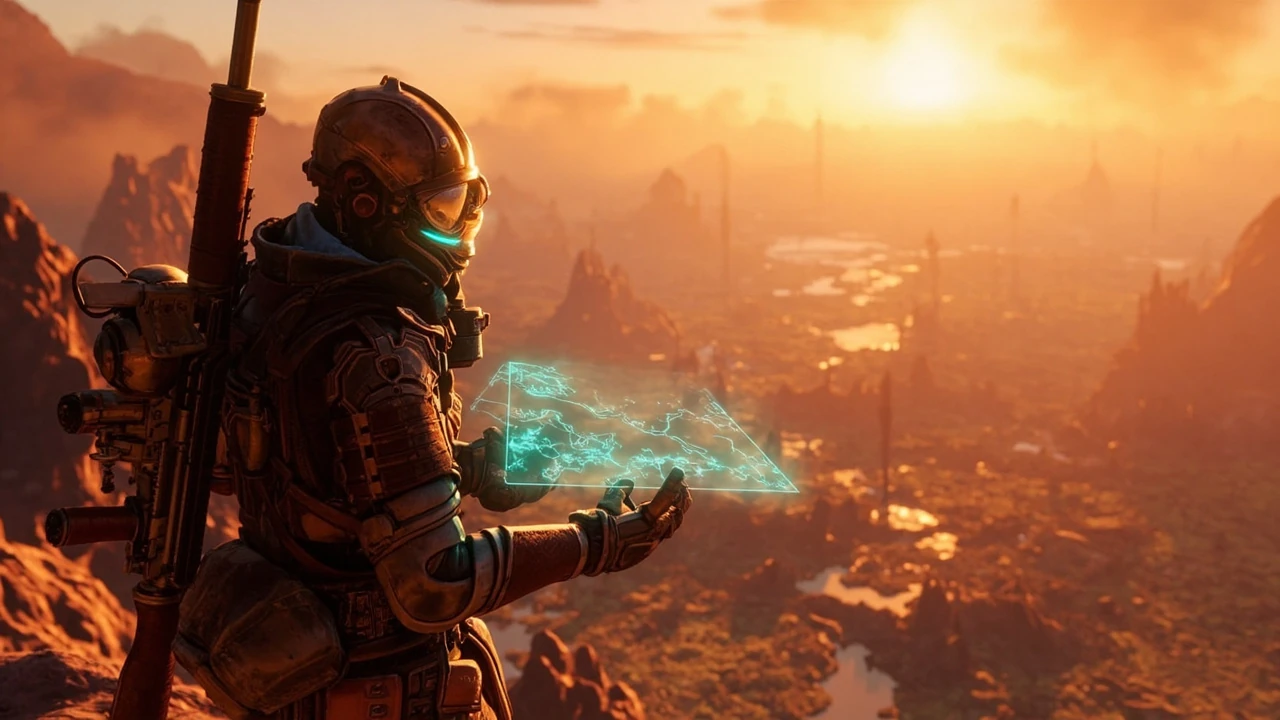
A useful Borderlands 4 map walkthrough has to do more than list place names. Players want to know how the world is divided, how traversal works between zones, and which design decisions show up in the underlying level structure. From a development standpoint, the map also signals how the team rethought progression, encounter density, and fast travel for a new generation of open-ended play.
This article is written for level designers, technical designers, environment artists, and producers who want to understand the structure of the Borderlands 4 map as a piece of game development, not just a travel aid. We will look at the confirmed regions on Kairos, how the world connects, the systems exposed through the map UI, and the production trade-offs that shaped the final layout. We will also flag where the public documentation is thin and where patch notes have already changed the picture.
Borderlands 4 map at a glance
The Borderlands 4 map covers Kairos, a planet that the franchise has positioned as the series’ most open setting to date. The world is divided into several large regions, each with its own biome, quest chain, and encounter profile. According to the Borderlands 4 entry on Wikipedia, the game is built around exploration across a continuous open world rather than a sequence of discrete hub maps. That distinction matters for designers because it changes how data streaming, encounter pacing, and fast travel have to be handled in the engine.
For planning purposes, the map behaves like an outdoor open world with discrete interior cells. Outdoor regions are stitched together for streaming, while instanced interiors, vaults, and boss arenas remain separate scenes. Players can move freely between regions without loading screens, provided the traversal path stays on the persistent world. Crossing into an instanced cell does trigger a short portal transition, which is the main place where a loading screen is visible.
What the map actually contains
- Multiple named regions grouped under Kairos, each with a distinct biome and visual identity.
- A network of fast travel stations tied to discovered points, settlements, and major quest markers.
- Dynamic events and side activities that surface on the map once a player approaches the relevant radius.
- Vaults and instanced dungeons that exist as separate cells rather than as part of the streamed world.
- Overlay layers for quests, collectibles, and discovered points of interest.
- Custom waypoints that players can place for solo navigation or for co-op coordination.
Confirmed regions and how they connect
The Borderlands 4 map is organized around several confirmed regions, each of which is a self-contained biome with its own progression gating. Regions connect through open terrain rather than through discrete loading corridors, which lets players move from one zone to the next without a hard transition. The exact naming and count come from official previews and from the in-game UI captured during the early access period, and they line up with the Borderlands 4 Wikipedia summary.
| Region | Biome type | Role in the map | Typical encounter profile |
|---|---|---|---|
| Terminus Range | Rocky highlands, cold climate | Starter region and tutorial path | Light bandit and wildlife encounters, low vehicle pressure |
| Shattered Voidlands | Impact-formed badlands | Mid-game transition zone | Mixed enemy factions, vertical traversal challenges |
| The Dominion | Industrial urban center | Mid-to-late hub region | Heavy enemy presence, vehicle combat, faction escalation |
| Fadefields | Open plains and frontier outposts | Exploration and side content | Scattered camps, scavenger hunts, mid-density combat |
| Timberland | Forest and river valleys | Side-content heavy region | Stealth encounters, wildlife, optional vault access |
| Carcadia Burn | Volcanic high-temperature zone | Late-game challenge region | Elite and boss-tier enemies, environmental hazards |
These region names are drawn from public previews and the in-game map as described in the Borderlands 4 Wikipedia article. The exact count of regions and the boundaries between them can still change in post-launch patches, and the production team has previously used patches to add fast travel nodes, rework encounter spawns, and rebalance traversal density. Treat the table as a planning reference rather than a final list, and re-check the in-game UI before you commit a region layout to a design document.
Connection points between regions
Players move between regions by walking, driving, or grappling across shared terrain. Designers will recognize the pattern from other open-world games: the world is broken into a small number of persistent cells, each cell streams its content based on the player’s position, and seams are placed at visually motivated choke points such as ridges, tunnels, and roads. The result is a map that feels continuous while still giving the engine predictable memory budgets.
The downside of that approach is that encounter density and asset variety have to be tuned per cell, and a single cell that contains a major quest beat can become a frame-time hotspot if the production team does not watch polycount and AI counts. Borderlands 4 inherits that risk because its open regions are large and densely populated, and several of the late-game zones combine vehicle combat, vertical traversal, and high enemy counts in the same cell.
Region gating through environment rather than walls
Rather than block the player with invisible walls, the design team uses environmental cues such as temperature, altitude, and enemy density to signal that a region is harder than the player’s current gear. Carcadia Burn, for example, exposes high-tier enemies and environmental hazards that punish undergeared players, while Timberland offers stealth and exploration content that lower-level players can complete without dying repeatedly. This is a softer form of gating than a hard level check, and it lets the player choose to push into a harder region early if they want the challenge.
Fast travel, vehicles, and map UI
Fast travel in Borderlands 4 is exposed through discovered stations on the map. Each station has to be physically visited before it can be used as a destination, which is a common pattern in open-world games because it gives the player a reason to traverse the world on foot or in a vehicle. From a level design perspective, this also lets the team gate difficulty behind travel decisions, since a player who has not unlocked a station has to cross the world through the actual terrain.
The map UI itself supports several overlay layers, and each one is a contract with the player about what information is available at a glance.
- A main map with region outlines, place names, and discovered points of interest.
- A quest layer that highlights active mission markers, optional objectives, and turn-in locations.
- A collectible layer that surfaces items such as vault fragments, Echo logs, and ECHO-4 recordings once the player has triggered their detection range.
- A custom marker layer that lets players place their own waypoints, which is useful for co-op sessions and for tracking optional challenges.
- A faction layer in some patches that surfaces control state for specific zones, which influences which enemies spawn in that area.
Vehicles and traversal mechanics
Traversal on the Borderlands 4 map is not limited to foot speed. Vehicles, grappling, and special movement abilities all play a role in how players cross the world, and each of these has to be authored at the level design stage. Designers need to place boost ramps, grapple points, and vehicle spawners in ways that respect the streaming cells and that do not break the encounter budget of nearby cells.
A practical example: a grapple point that pulls a player across a region seam can mask a streaming handoff that the engine is trying to complete. The team has to test each grapple line and each boost ramp to make sure the player does not see a hitch when the cell boundary is crossed. That kind of validation is a routine part of shipping an open-world action game, and Borderlands 4 appears to have invested in this kind of pass based on the smoothness of the seams in captured footage.
Fast travel as a progression signal
Because fast travel stations are unlocked by discovery, the map acts as a record of player progression. Designers can read the player’s map state to estimate how far they have explored and to tune side content accordingly. From a production standpoint, this also means that any change to the fast travel network has to be coordinated with the quest system and with the streaming system, since unlocking a station is a state change that the server has to persist.
A useful planning trick is to plot the fast travel nodes on a paper copy of the map and label each one with the quest or event that unlocks it. The pattern that emerges is often a deliberate traversal path that the team wants the player to follow, and the gaps in the network usually correspond to areas the team wants the player to experience on foot before they get a teleport shortcut.
Map design lessons for level designers
The Borderlands 4 map is a useful reference for several recurring open-world design problems. The sections below walk through the specific decisions that show up in the world structure and the production reasoning behind them, with notes on what carries over to other projects and what is specific to this title.
1. Continuous world with instanced content
Borderlands 4 keeps the outdoor world continuous while treating vaults, boss arenas, and selected interiors as instanced cells. This is a classic compromise: the player gets the open-world feeling of a single map, but the team can still control memory, lighting, and AI counts inside each instance. For designers, the lesson is that the map is not a single graph; it is a layered system of persistent cells, instanced cells, and shared services such as the quest system and the Echo log manager.
2. Region gating through environment rather than walls
Rather than block the player with invisible walls, the design team uses environmental cues such as temperature, altitude, and enemy density to signal that a region is harder than the player’s current gear. Carcadia Burn, for example, exposes high-tier enemies and environmental hazards that punish undergeared players, while Timberland offers stealth and exploration content that lower-level players can complete without dying repeatedly.
3. Fast travel as a progression signal
Because fast travel stations are unlocked by discovery, the map acts as a record of player progression. Designers can read the player’s map state to estimate how far they have explored and to tune side content accordingly. From a production standpoint, this also means that any change to the fast travel network has to be coordinated with the quest system and with the streaming system, since unlocking a station is a state change that the server has to persist.
4. Overlay layers as a UX contract
Each map overlay is a contract with the player: the quest layer promises that the player can find their current objective, the collectible layer promises that they can find optional content, and the custom marker layer promises that the player can communicate with their co-op team. Designers have to maintain those contracts across patches, which is why major UI rewrites are risky and why the team tends to add layers rather than replace them. If a layer is removed or renamed, the player loses the muscle memory they have built up, and the support cost goes up.
5. Vertical space as a first-class design surface
Vertical space is part of the world structure in Borderlands 4, and several regions include cliffs, towers, and underground sections that the player can reach through grappling, vehicles, or quest triggers. The map represents vertical layers with subtle shading rather than with explicit floor markers, which is a common compromise for outdoor open worlds. For designers, the takeaway is that verticality has to be authored in the level blockout, not bolted on with markers after the fact, because the player will look for traversal routes that the team did not intend to support.
6. Co-op map parity as a replication problem
Co-op play in Borderlands 4 shares the base map and the quest layer, but custom markers are per-player, and fast travel stations are unlocked per character. That means the replication system has to send the relevant slice of map state to each client, and the team has to handle desync when one player unlocks a station and another does not. From a design standpoint, the lesson is that the map is a multiplayer object as much as it is a single-player object, and any new map feature has to be reviewed for replication cost before it ships.
Production trade-offs behind the open world
An open-world map is not free. The Borderlands 4 map implies a number of production decisions that affect art, engineering, and QA, and those decisions are worth understanding before treating the world as a finished product. The trade-offs below are not unique to this title, but the scale of the map makes them visible, and they are the kind of decisions that a producer has to budget for during pre-production.
| System | What the map exposes | Production cost | Design trade-off |
|---|---|---|---|
| Streaming | Continuous outdoor regions | Memory budget tuning, cell handoff validation | Larger cells reduce seams but raise peak memory |
| Fast travel | Discovered stations, custom waypoints | State persistence, server-side validation | More stations reduce frustration but flatten exploration |
| Encounter pacing | Region-by-region density | AI count tuning, spawner authoring | Dense regions feel alive but risk frame drops |
| Side content | Collectibles, optional vaults, Echo logs | Authoring overhead, QA coverage | More optional content raises replay value but extends QA |
| Co-op | Shared map state, marker parity | Replication work, desync handling | Full map parity simplifies co-op but raises bandwidth |
| Live operations | Patches that add or rework markers | Data migration, regression testing | Live changes keep the world fresh but require stable authoring |
The trade-offs above are not unique to Borderlands 4, but the scale of the map makes them visible. A team that is designing an open world for the first time often underestimates how much QA is required to validate every cell handoff, every fast travel unlock, and every quest marker. A team that has shipped open worlds before will build the validation passes into the production schedule rather than treating them as a polish step, and they will reserve engineering time for live operations work after launch.
How to read the map as a developer
If you are using the Borderlands 4 map as a reference for your own project, the most useful thing to do is to look at it as a set of authored assets rather than as a finished surface. The regions, the seams, the fast travel nodes, and the overlay layers are all authored content, and they each have a corresponding file or data table in the production pipeline. Treat the map the way you would treat any other system in the game: as a piece of engineering that you can study, not as a black box.
Identify the persistent cells
Walk from one region to another and watch the memory graph in a profiler. The seams between cells will show up as short streaming hitches, and the location of those seams tells you where the team chose to break the world. In Borderlands 4, the seams tend to sit at ridge lines, tunnels, and road crossings, which are visually motivated and which the player is unlikely to notice.
Track fast travel unlocking
Note which stations are available at the start of the game and which require discovery. The order in which stations are unlocked tells you how the team expects the player to explore the map, and it gives you a sense of how the team paced traversal across the world. If you are building a similar system, compare your unlock order to the in-game quest order and look for mismatches that signal a design change late in production.
Look at the overlay layers
Open each map overlay and look at how the team uses icons, color, and density to communicate information. The quest layer is typically the most saturated, while the collectible layer is more sparse, and the custom marker layer is a single icon per player. That hierarchy is a deliberate design choice, and it is worth copying in your own project if your map needs to balance several information sources.
Watch for live operations changes
Open-world games tend to receive patches that add fast travel nodes, add new collectibles, or rework encounter spawns. Borderlands 4 has already seen post-launch updates that touch the map, and the next time you study the world, you should compare your notes to a recent patch to see what the team has changed and why. Live operations is part of the map now, not a separate concern.
Compare with previous entries in the series
Borderlands 4 inherits a lot of its map design from earlier entries in the franchise, but it pushes the structure further toward a continuous open world. If you have notes from earlier games, it is worth pulling them out and comparing them to the current map. The differences are usually the most interesting part, because they show where the team decided that a previous design had reached its limit.
Map-specific systems worth studying
Beyond the high-level regions, the Borderlands 4 map exposes several systems that designers tend to want to copy in their own projects. Each one is small enough to study in isolation, and each one has a clear production cost.
Discoverable fast travel network
The fast travel network is the single most visible system on the map. It is also one of the simplest to author: a list of stations, a discovery flag, and a teleport cost. The interesting part is the gating. Stations are placed at settlements, viewpoint-style landmarks, and quest beats, and the spacing between stations is tuned to the vehicle speed and the on-foot speed of a player with average gear.
Dynamic event markers
Some side activities only appear on the map once the player enters the right radius. This is a useful tool for keeping the map readable, because it stops the overlay layers from competing with each other. The production cost is that the events have to be tested in co-op, since two players approaching from different directions can trigger two different events at the same time.
Custom waypoints and co-op markers
Custom markers are a per-player object that other players in the same session can see. They are useful for co-op coordination, and they are also a safety valve for the design team, because players will use them to mark things the team did not think to mark themselves. The downside is that a chatty co-op team can clutter the map quickly, and the UI has to be able to filter or hide those markers.
Vault entrance markers
Vaults are instanced cells with their own entrance markers. The map shows the entrance, not the interior, and the player enters the vault through a portal or a quest trigger. This keeps the persistent world uncluttered, and it gives the team a clean place to draw a memory budget line for the vault itself.
Echo log and collectible icons
The collectible layer uses a small set of distinct icons to differentiate between Echo logs, vault fragments, and other pickups. That icon discipline is worth copying, because it lets the player scan the map quickly without reading every label. The cost is a long art pass to keep the icons visually distinct at the map’s default zoom level.
How patches change the map over time
Open-world games rarely ship in a final form. Borderlands 4 has already received patches that touch the map in measurable ways, and more patches are likely as the live operations team adds content and rebalances encounters. For a designer, this means that any notes you take on the map today should be dated and stored in a way that lets you compare them to future patches.
The kinds of changes that patches tend to introduce include new fast travel stations in regions that felt under-served, new collectible types tied to seasonal events, encounter density changes in cells that were reporting frame drops, and overlay layer changes that add or remove icons. The structural layout of the regions is usually stable, because re-cutting a region is expensive, but the overlay data and the encounter profiles can change between patches.
Common questions about the map
Below are answers to the kinds of questions designers and producers tend to ask when they study the Borderlands 4 map. The goal is to give you a stable baseline so that you can update your own notes as patches land.
How many regions are on the Borderlands 4 map?
Public previews and the in-game map show several named regions on Kairos, including the Terminus Range, the Fadefields, Timberland, the Shattered Voidlands, the Dominion, and Carcadia Burn. The exact list can change with patches, and you should treat any external summary as a snapshot rather than a final count.
Is the Borderlands 4 map a single open world or a sequence of hubs?
It is a single open world with instanced interiors. Players can move between outdoor regions without loading screens, and the world streams as the player moves. Vaults, boss arenas, and certain interiors are separate instances that the player enters through a portal or a quest trigger.
How does fast travel work on the Borderlands 4 map?
Fast travel is tied to stations that the player has to discover in person. Once a station is unlocked, the player can use the map to teleport to it. Custom waypoints are separate from fast travel and let players mark locations for their own use or for their co-op team.
Can the map be used to plan a co-op session?
Yes. The map supports custom markers that other players in the same session can see, and the quest layer is shared across the party. Fast travel stations are unlocked per character, so each player has to discover a station on their own before they can use it as a teleport target.
Does the map change after launch?
Yes. Post-launch patches have added and removed markers, rebalanced encounter spawns, and adjusted fast travel nodes. The structural layout of the regions is stable, but the overlay data and the encounter profiles can change between patches.
What can a level designer learn from the Borderlands 4 map?
The most useful lessons are about how to break a large world into streaming cells, how to pace encounters across regions, how to use fast travel as a progression signal, and how to design overlay layers that the player can read at a glance. The map is also a useful reference for how a team can ship an open world without losing the franchise’s identity.
Are there any hidden areas on the Borderlands 4 map?
There are optional vaults, side dungeons, and off-road areas that do not surface as named markers on the main map. The collectible and Echo log layers help players find these areas, and the custom marker layer lets players record their own discoveries for later sessions.
How does the map handle vertical space?
Vertical space is part of the world structure, and several regions include cliffs, towers, and underground sections that the player can reach through grappling, vehicles, or quest triggers. The map represents vertical layers with subtle shading rather than with explicit floor markers, which is a common compromise for outdoor open worlds.
Frequently asked questions
What is the Borderlands 4 map called?
The in-game map refers to the planet Kairos and its regions. Players see a planetary view with named regions, fast travel stations, and active quest markers, and the same view is used for both solo and co-op play.
How big is the Borderlands 4 map?
The team has described the world as the series’ most open setting, but exact square-kilometer figures are not part of the official documentation. The map is large enough to require fast travel and to support vehicle traversal, and it contains enough optional content to fill several hours of side play.
Can you see other players on the Borderlands 4 map?
You can see party members and their custom markers on the map, but the map does not expose the full position of other players by default. The custom marker layer is the main way that co-op teams coordinate travel decisions.
Does the Borderlands 4 map show every collectible?
No. Some collectibles are hidden until the player enters their detection range, and a few are tied to quest triggers that the player has to complete first. The collectible layer is a guide, not a complete list, which is part of how the game encourages exploration.
Are there any DLC regions planned for the Borderlands 4 map?
Post-launch content has added new activities and markers to the existing regions. Major structural additions to the map would be announced through the publisher’s official channels, and you should treat any rumor of new regions as unverified until the studio confirms it.
How does the map interact with the Echo log system?
Echo logs are collectible items that surface on the map once the player has discovered their location. The Echo log layer is part of the collectible overlay and uses a distinct icon, which lets players filter the map to focus on lore content without losing sight of active quests.
Can the Borderlands 4 map be used to plan a farming route?
Yes. The custom marker layer is the most useful tool for marking farming locations, and the fast travel network lets players move between those locations quickly. A common pattern is to unlock every fast travel station first, then build a custom route that visits the highest-yield encounters in a single loop.
Does the map change between solo and co-op play?
The base map is the same, but the custom marker layer is per-player, and the quest layer reflects the host’s progress in some cases. The team has tuned the map to feel consistent across modes, but a few details do shift when you join or leave a co-op session.



Leave a Reply